Introducing Hub
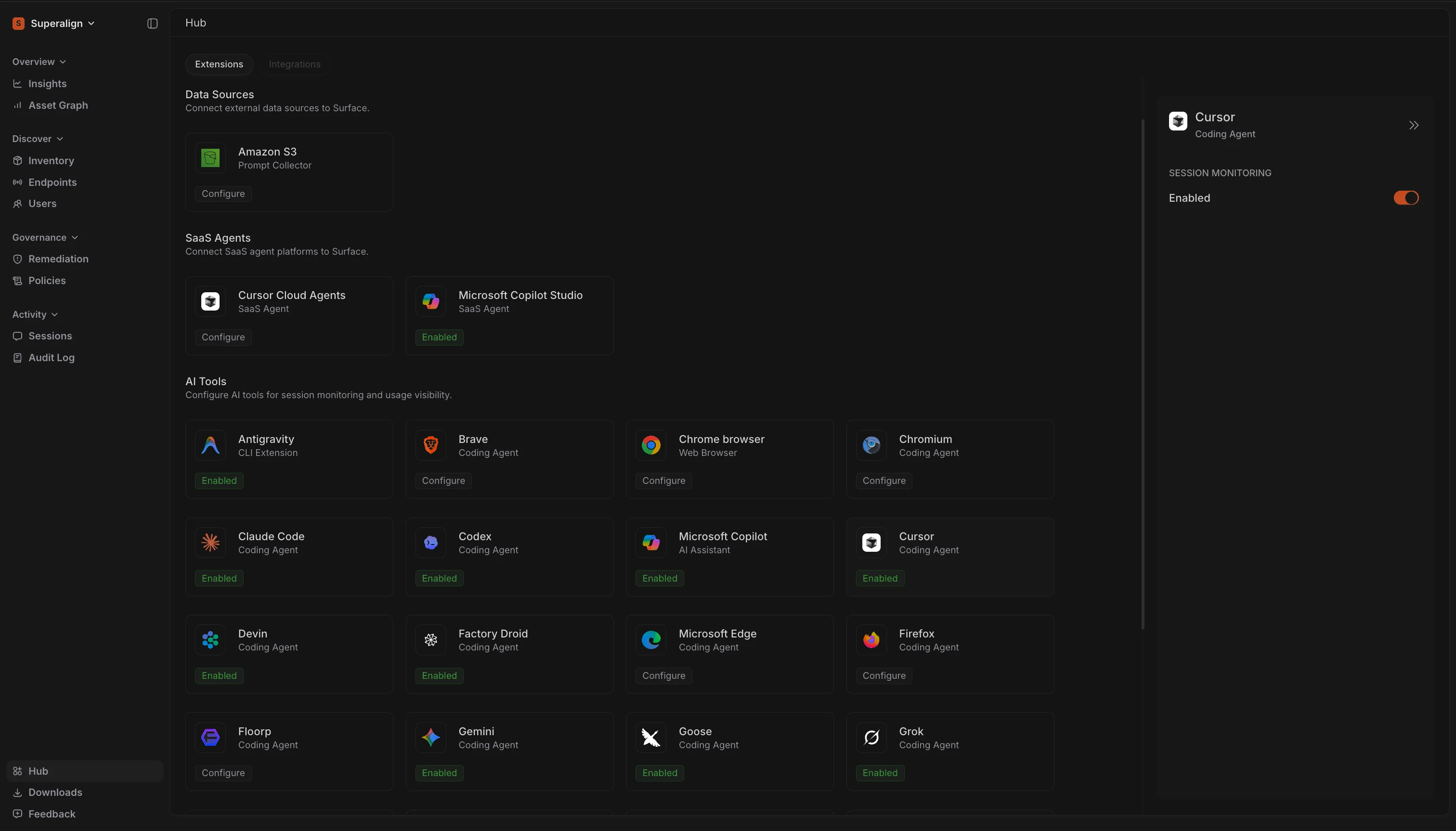
Hub is the home for everything you connect to Surface: Data Sources, SaaS Agents and AI Tools. It takes the place of Extensions in the sidebar. Open it from the sidebar, or press G then X.
Connections are grouped by what they do. Data Sources, such as Amazon S3, store the prompts Surface captures. SaaS Agents discover cloud-hosted AI agents, such as Cursor Cloud Agents and agents built in Microsoft Copilot Studio, and collect their conversations. AI Tools covers all the coding agents, AI assistants and browsers that Surface supports, from Claude Code, Codex and Cursor to Chrome and Firefox, and shows at a glance which ones are already being monitored.
Selecting any card opens its details and settings in a side panel, so you can set up a connection without leaving the page.
Choose Scope Before Action
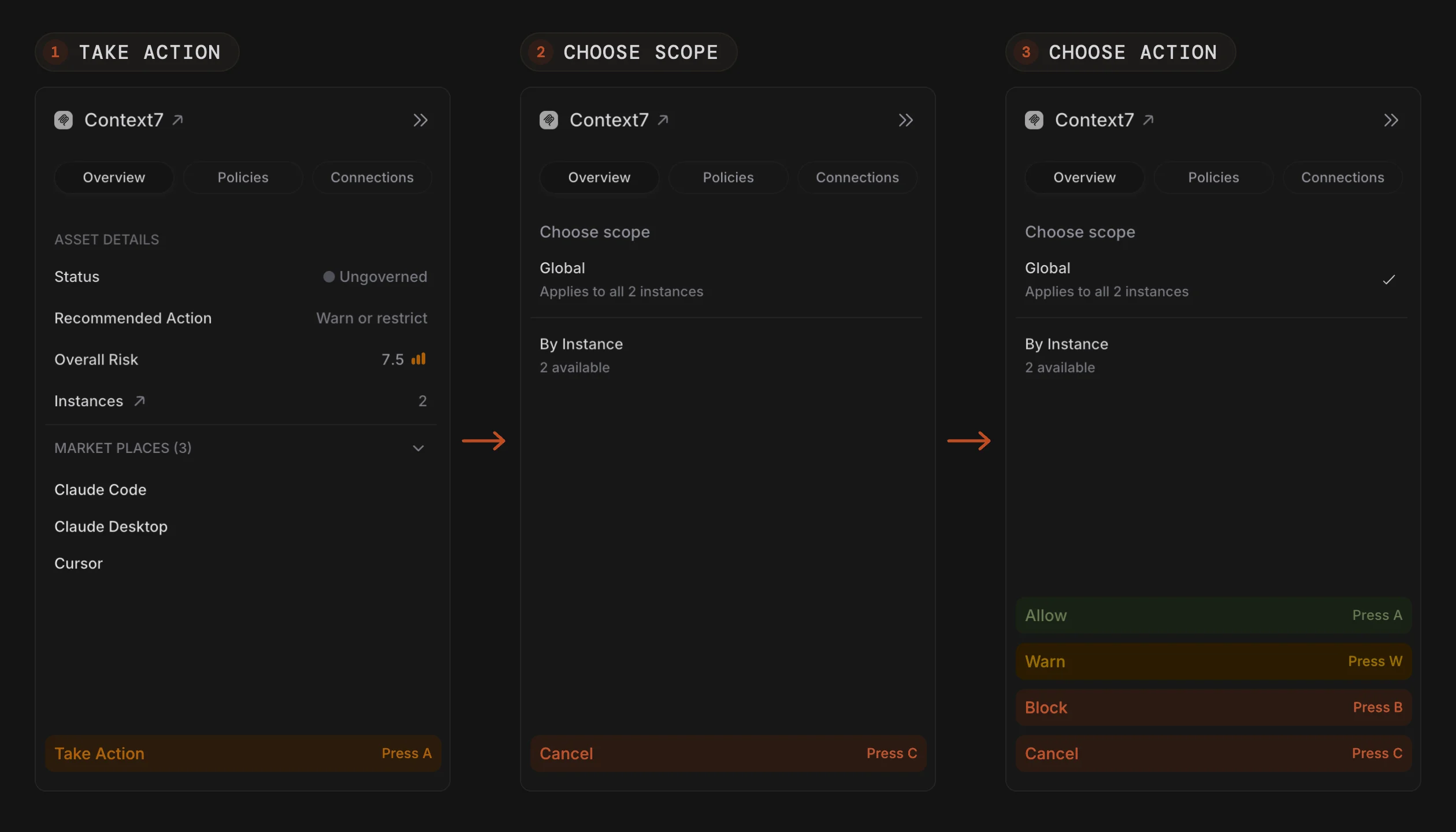
Acting on an asset now starts with where the action applies. Click Take Action on the Asset Card, choose Global to cover every endpoint running the asset or By Instance to pick specific endpoints, and then choose Allow, Warn or Block.
Previously, the scope step came after the action. Putting it first means you decide how far a change reaches before you decide what it is. With By Instance, the actions unlock only once you have selected at least one endpoint.
Account and Plan Capture
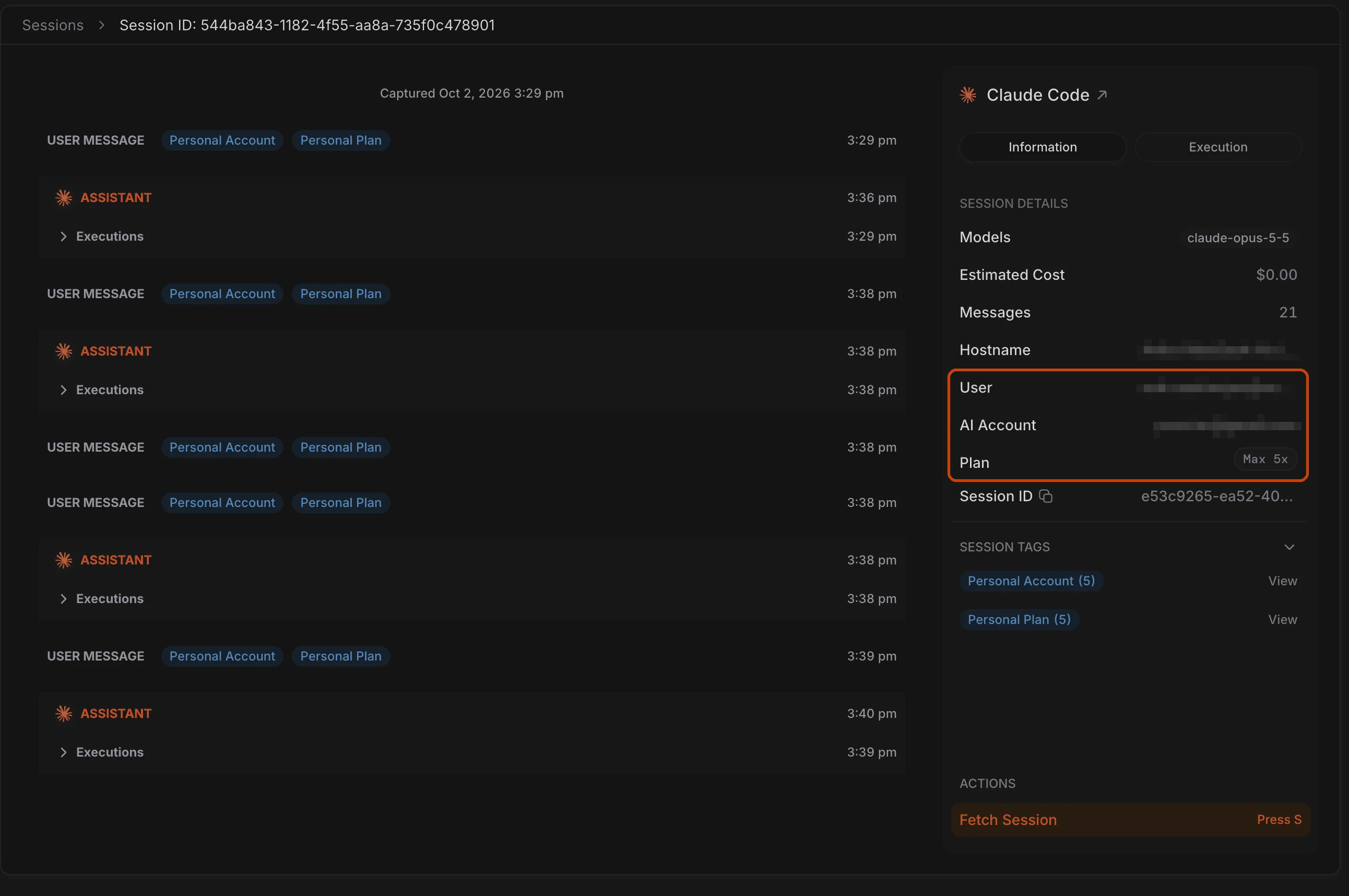
Sessions from Claude Code, Codex and Cursor now show which account was signed in to the tool and which subscription plan it was on. The account details appear as a column on the Sessions page, and opening a session shows the account and plan next to the user on that endpoint.