Guided Product Tour
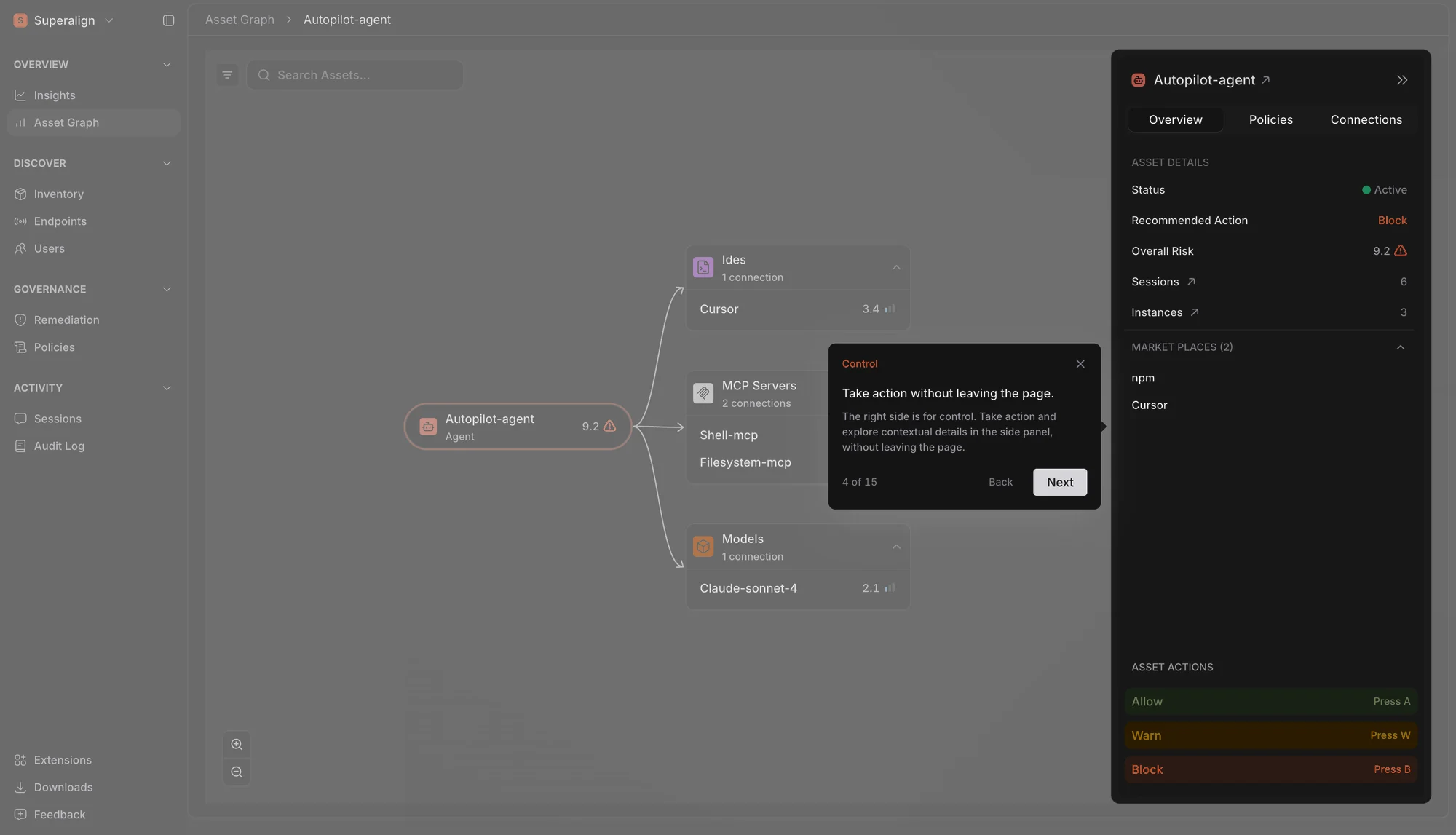
New admins are now welcomed with a guided tour of Surface. It walks you through where things live in the console, how to read your risk on Insights, how to govern an asset from Remediation, and how to trace an agent’s session, all on a sample organisation so you can explore without touching your own data.
Once you’ve finished or skipped it, it stays out of your way, and you can start it again from the sidebar whenever you want a refresher.
Clearer Session Traces
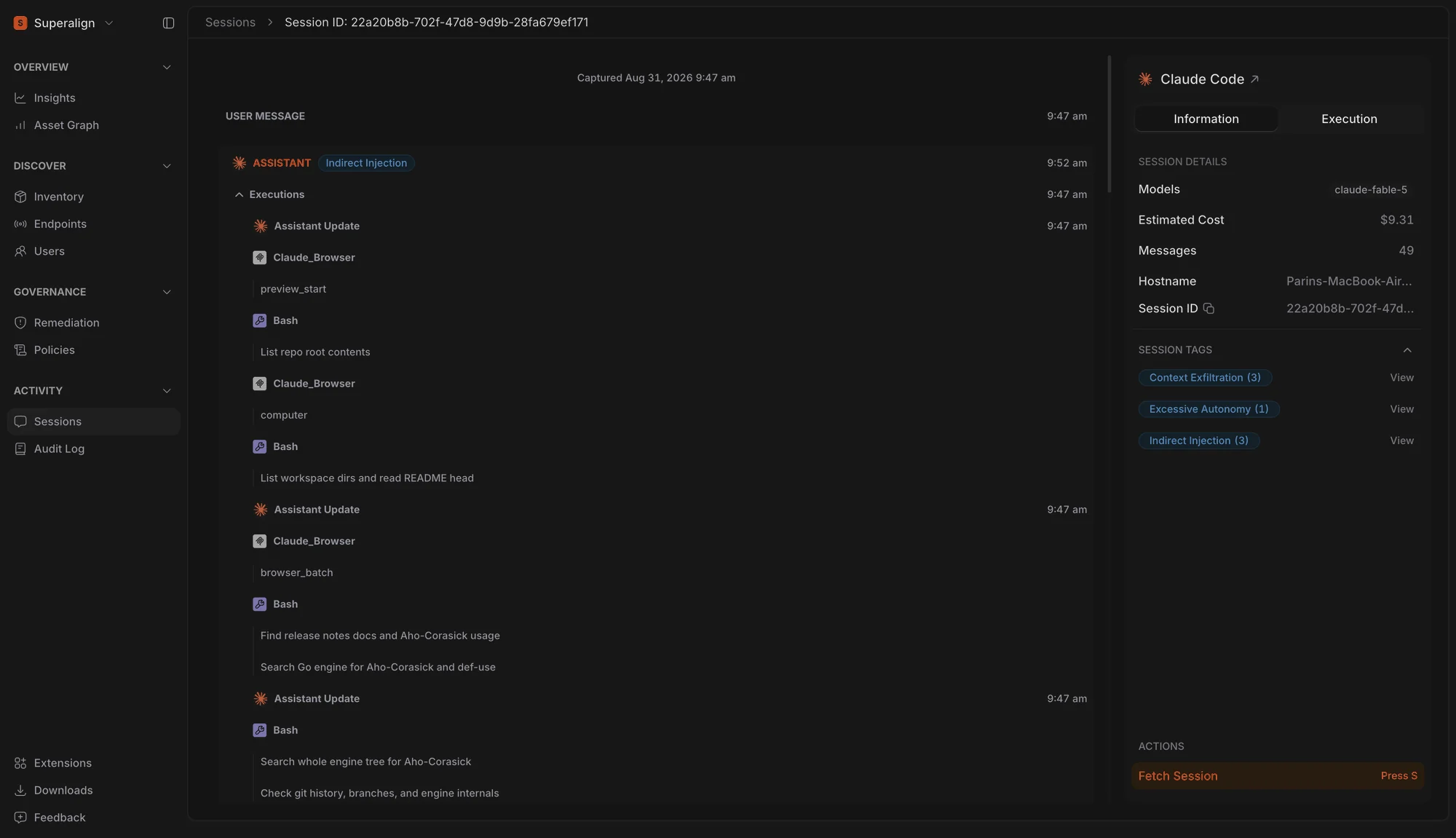
Session traces are now easier to follow. Everything an agent did in response to one of your messages is shown as a single step, with all of its tool calls and replies in order, so a long session reads as a sequence of turns rather than a wall of individual events.
Repeated calls to the same tool are grouped together, and any session tag raised during a turn is shown right on it. From the session panel you can now jump straight to the agent’s asset page.
Risk at a Glance in the Execution Tab
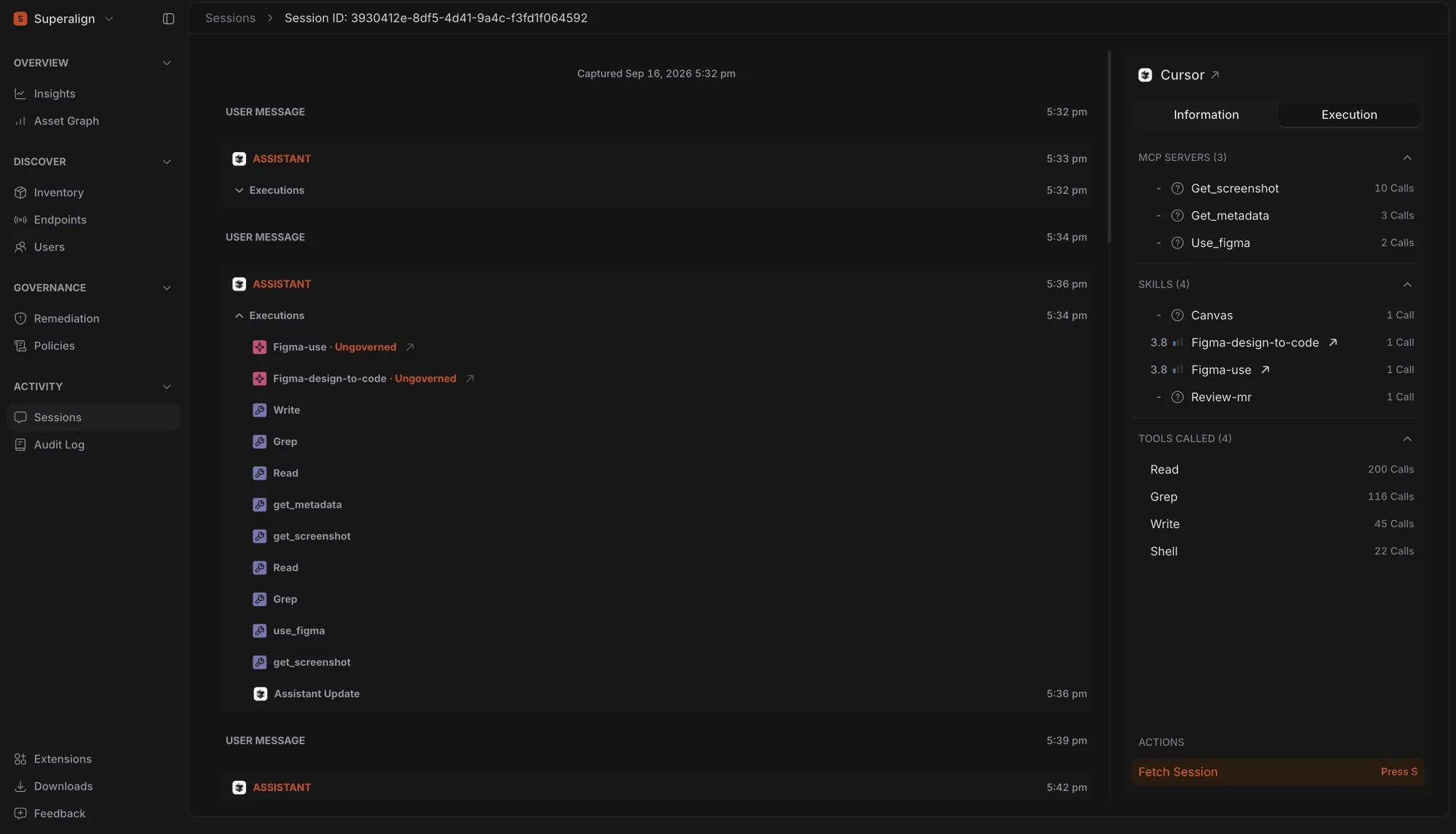
The Execution tab now shows the risk score for every MCP server and skill used by the agent, using the same risk display as the Asset Card. Skills and MCPs that haven’t been assessed by Surface are shown with an Unknown Risk icon.
Risk Breakdown by Instance
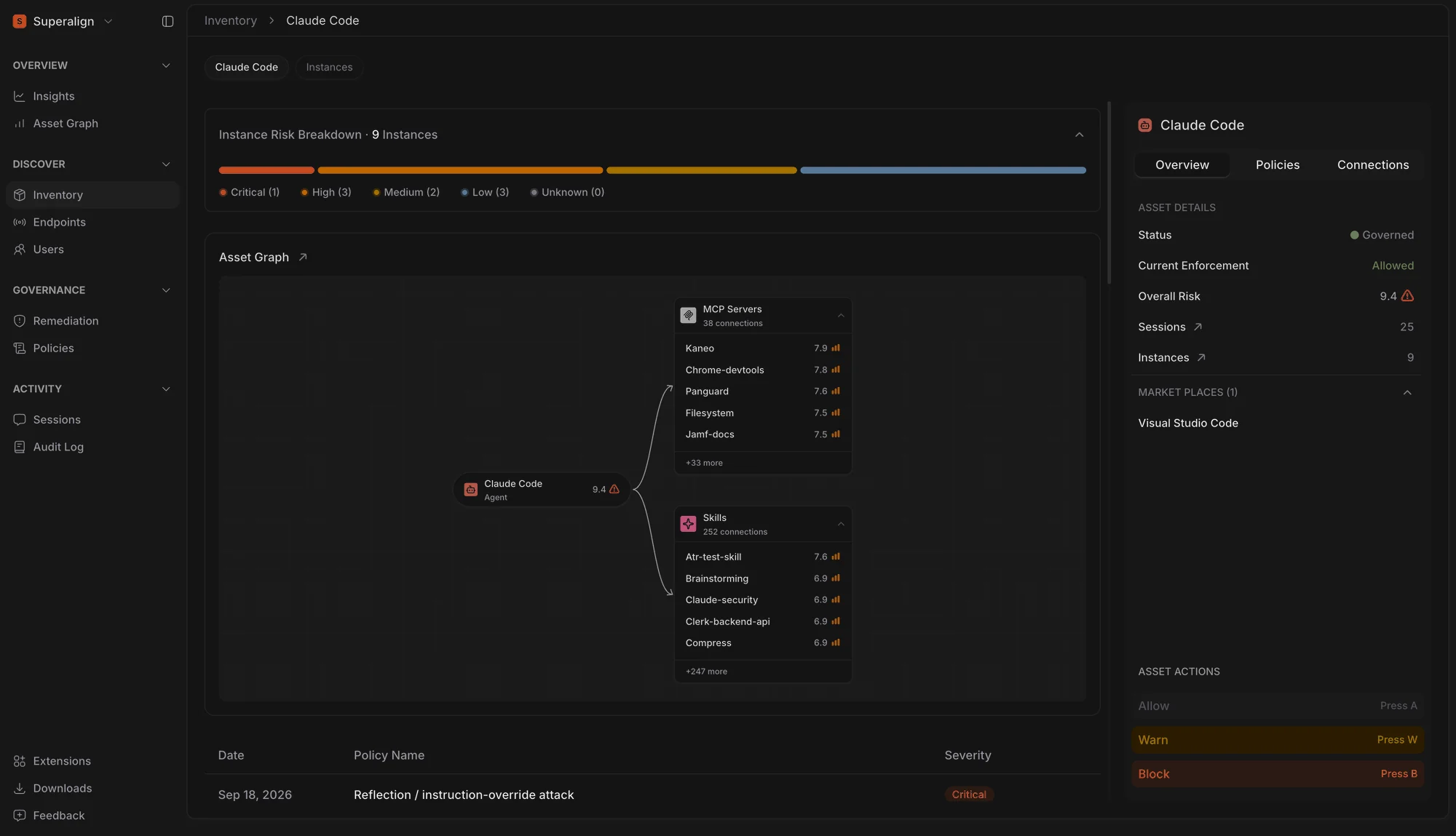
The Asset page now shows how risk is distributed across an asset’s instances, giving you a clearer view of the risks behind its overall score.
Unscored Assets Are No Longer Shown as Low Risk
Assets that Surface hasn’t assessed yet are now shown with an Unknown icon instead of Low. This makes it clear which assets are still unassessed rather than appearing as low-risk.
Unknown is now shown as a separate risk level across the console, making it easier to identify assets that still need attention.
Remove Members from Your Organisation
Owners and admins can now remove a member directly from the Users page. Removing someone signs them out everywhere and records the action in the audit log, while their endpoints keep reporting so you never lose visibility into their machines. If they sign back in later with a company email, they rejoin as a regular member.
Members also now see the organisation’s owners and admins on the Users page, so they know who to reach out to.
Model Names in Top Adopters
The Top Adopters table on the AI Usage tab now shows which models each person is actually using, instead of just how many. The two most-used models are shown inline, and you can hover to see the rest.
Fixes
The Risk Governance card on Insights now counts assets rather than individual installs, so its numbers match the assets listed when you open it.
An endpoint’s Sessions tab now shows the same information as the main Sessions page, so a session looks the same wherever you find it.
Expanded Cloud Agent Support
SuperAlign Surface now supports Microsoft Copilot Studio and Cursor as cloud agents, expanding visibility into AI agents used across enterprise workflows.
With these additions, security teams can discover and monitor more of the AI agent landscape, helping maintain a centralized view of AI usage and its associated security posture.