Introducing Session Tagging
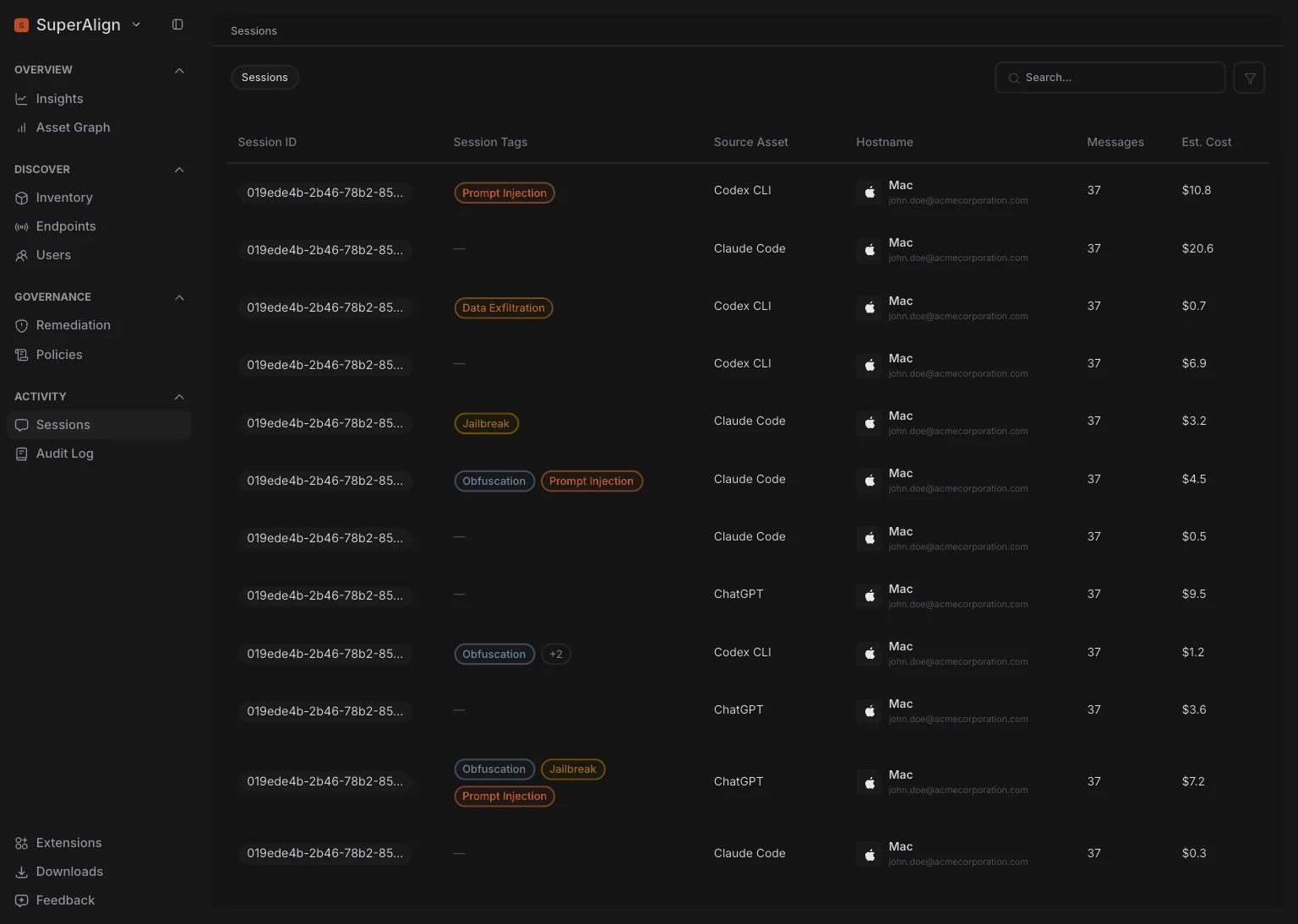
As AI agents increasingly perform actions on behalf of users, security teams need a faster way to identify sessions that may involve malicious or suspicious behaviour without manually reviewing individual events.
Sessions are now automatically tagged when a user or agent is identified as attempting potentially malicious activity, making the security context of a session immediately visible.
Security teams can use these tags to quickly identify, filter, and investigate potentially risky sessions, giving them a session-level view of suspicious activity for faster investigation and response.
Enhanced Graph View
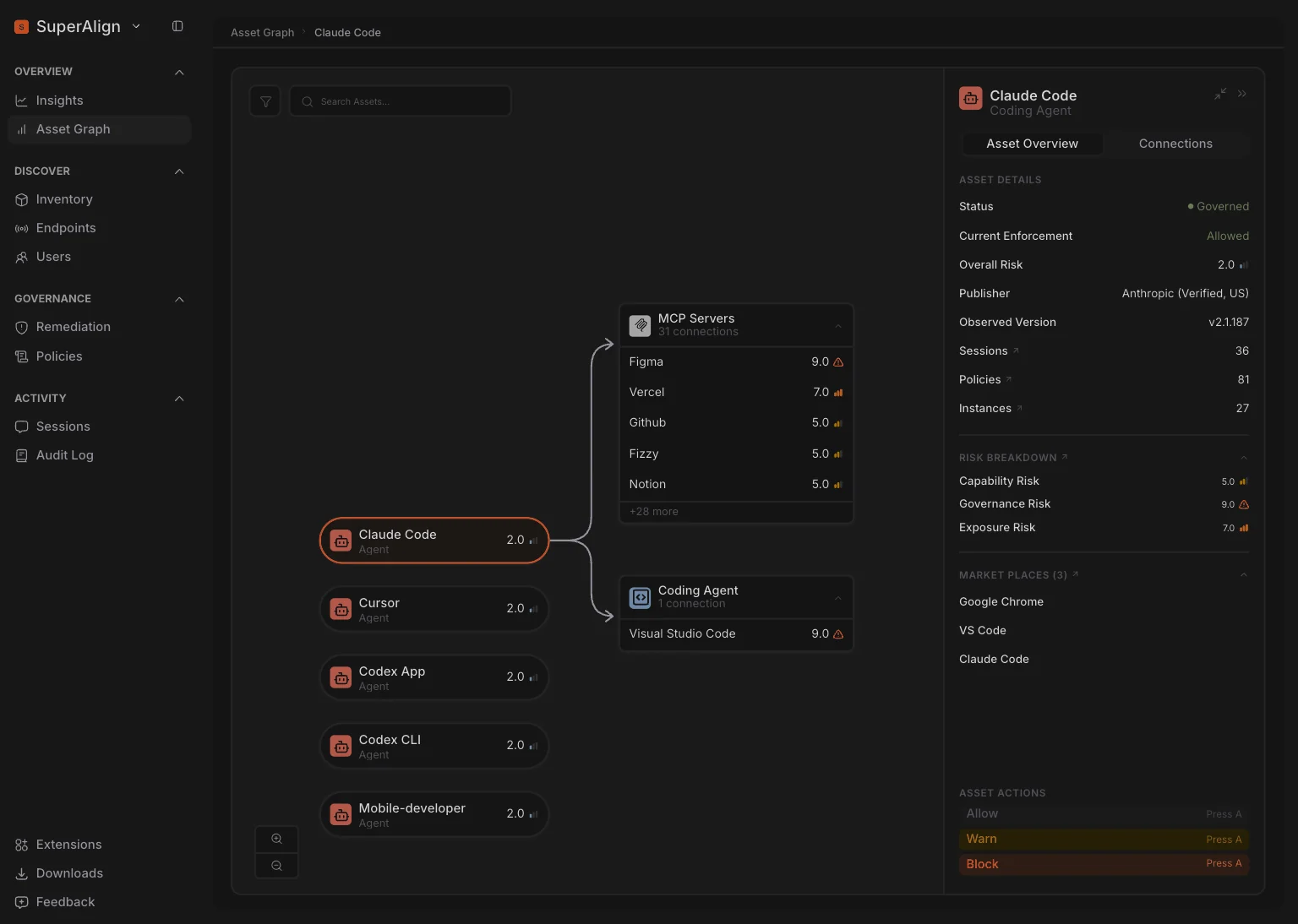
As AI environments become more interconnected, understanding how agents interact with other AI assets is critical for identifying dependencies, unexpected relationships, and potential security risks.
The Asset Graph has been enhanced to represent each agent as an entry point, with its connections and interactions shown from that agent.
Teams can now more intuitively explore agent relationships, trace interaction paths, understand the broader agent ecosystem, and identify unexpected or potentially risky connections.
Expanded Agent & Extension Support
As AI agents become increasingly embedded across development and enterprise workflows, limited coverage can create blind spots in an organisation’s AI security posture.
SuperAlign now supports additional AI agents and extensions, including Antigravity, Devin Grok, Goose, Hermes, and other newly supported extensions.
These agents and extensions are brought into the same visibility and monitoring experience, allowing teams to consistently discover and monitor agent activity across a broader AI ecosystem.