Asset Graph on the Asset Page
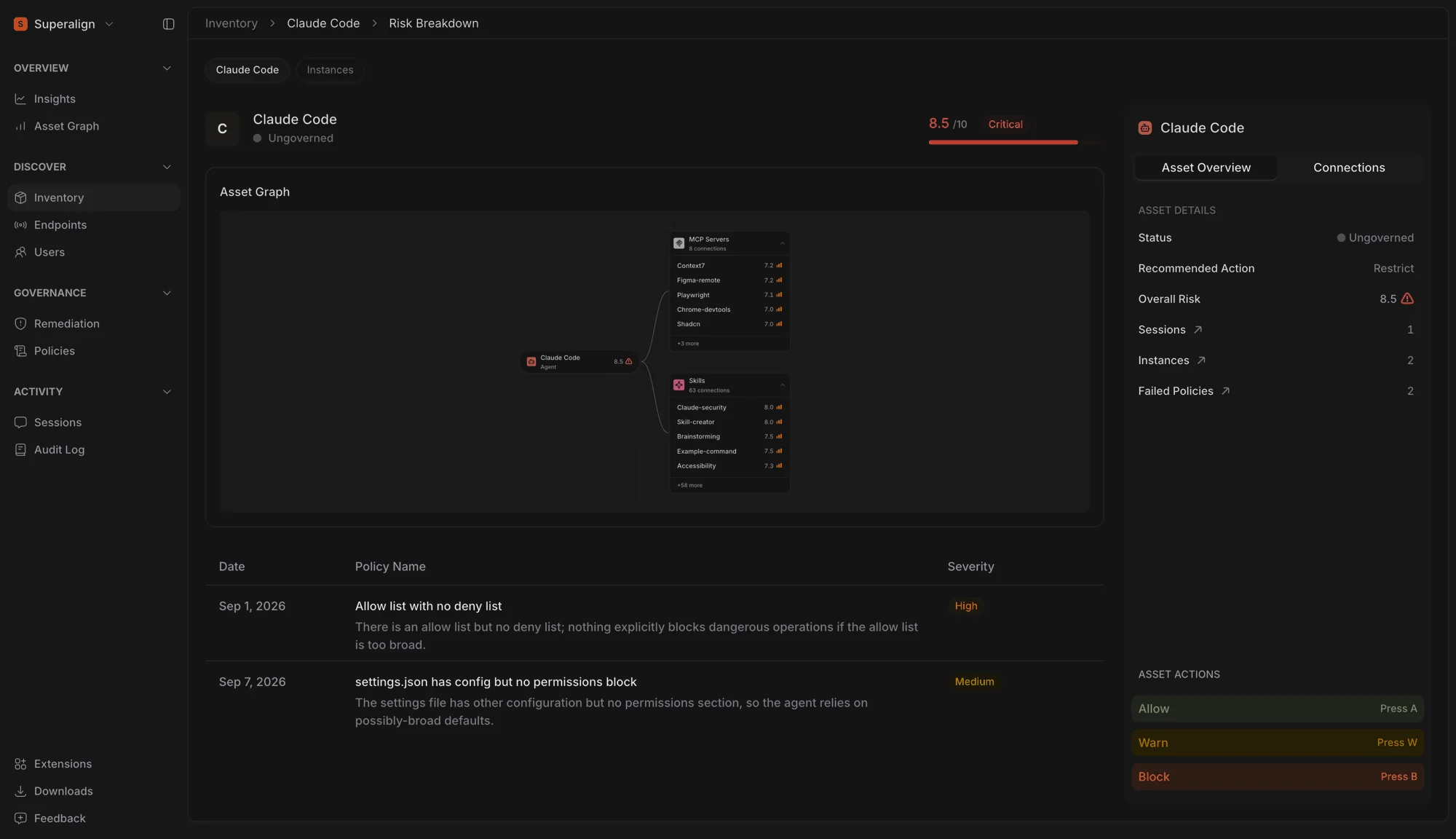
Surface now shows an asset’s connections directly on its detail page, making it easier to understand what an asset can interact with and where risk may exist.
The asset sits at the centre of the graph, with connected MCP servers, coding agents, and skills grouped around it. Each connection is scored by risk, with the highest-risk connections shown first.
Previously, investigating an asset’s connections meant leaving the detail page, opening the full Asset Graph, and finding the asset again. Now, the connections appear alongside the asset’s failed policy checks, giving you the context you need to understand both the exposure and the findings in one place.
Click any connection to move directly to that asset and continue your investigation. The same experience is now available on an endpoint’s asset instance, through the Asset Instance Graph.
Asset Instance Graph
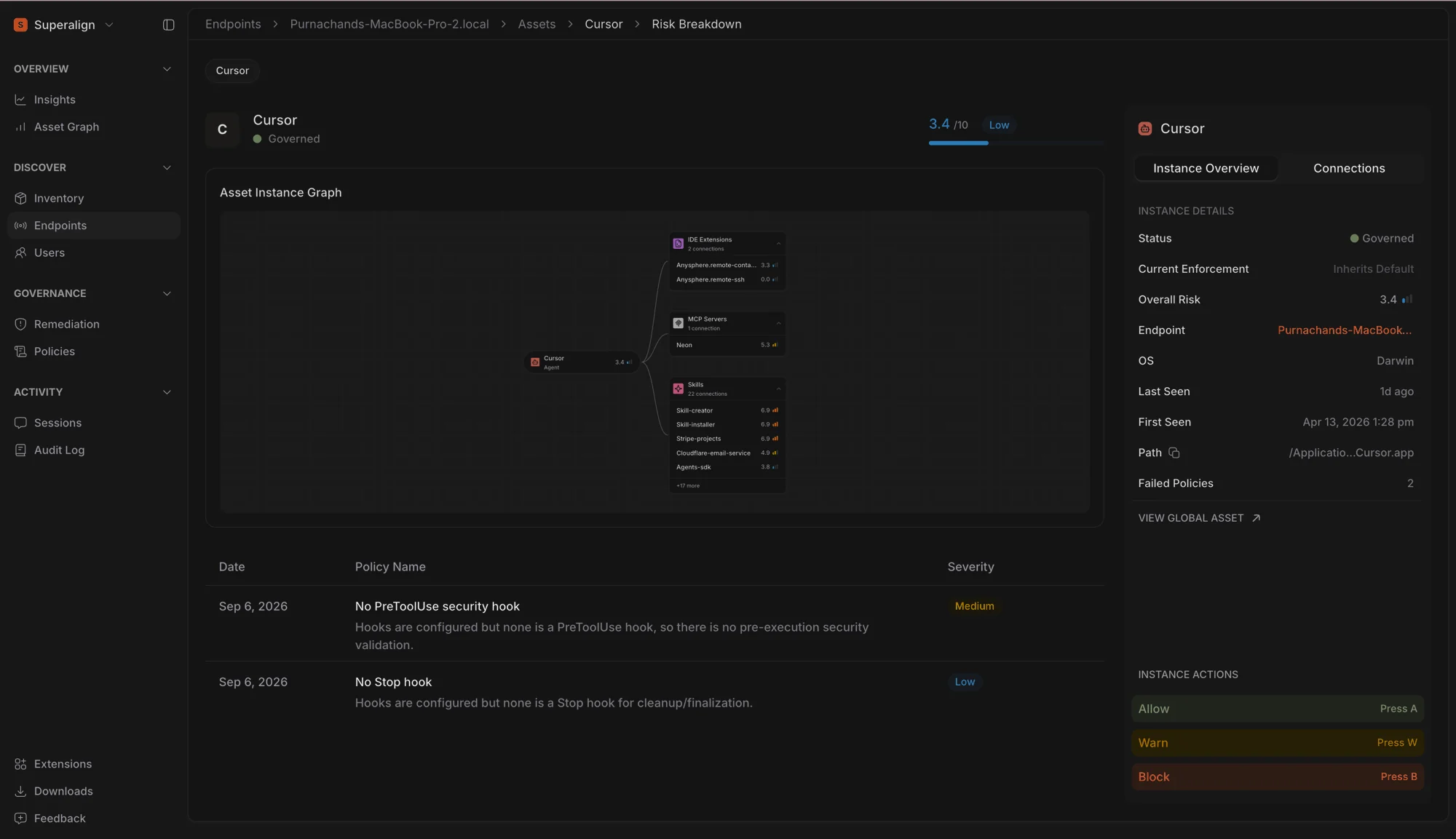
For example, while the asset page for Cursor shows what Cursor is connected to across your organisation, the Asset Instance Graph shows exactly what Cursor is connected to on a specific laptop, including that machine’s IDE extensions, MCP servers, and skills.
Risk is calculated for the individual endpoint, rather than using the organisation-wide asset risk score. This gives security teams a more accurate view of what is actually present and connected on the machine they are investigating.
An asset that looks low-risk across the organisation may still represent a significant risk on a particular endpoint. With the Asset Instance Graph, that context is visible immediately.
Expanded Extensions & Agent Support
SuperAlign Surface now supports two new endpoint extensions, iFlow and Droid Factory, which brings our total coverage to 14 supported AI agents.
Risk. Unmonitored agents risk unverified code changes and shadow AI sprawl.
Resolution. Adding iFlow and Droid Factory gives security teams full visibility over active tool calls, prompt context, and agent actions across developer endpoints.