Redesigned Policies Page
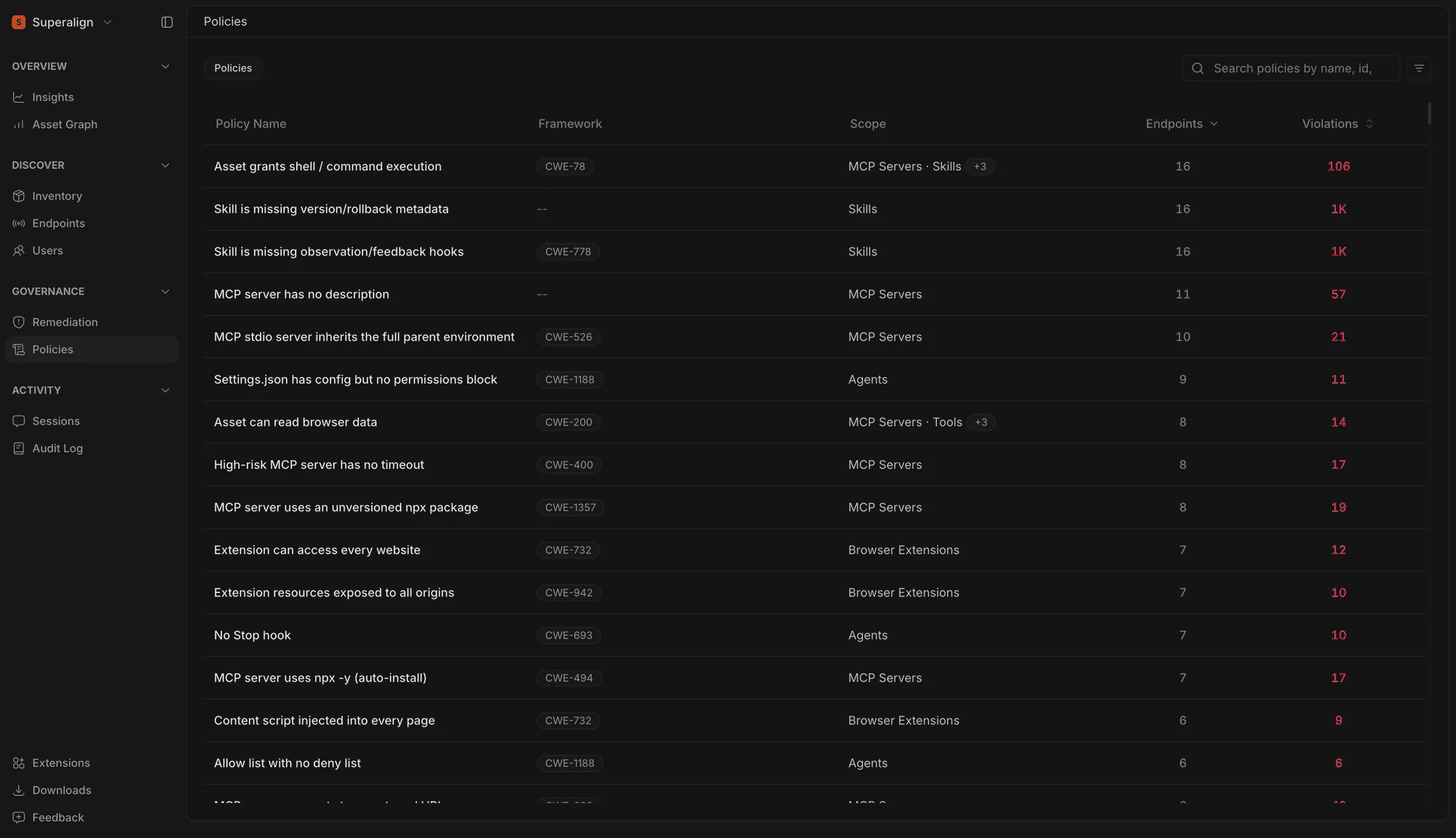
The Policies page is now a single flat table across the entire policy catalog, replacing the previous grouped layout. Each policy shows the Framework it maps to (OWASP ASI, OWASP LLM, MITRE ATLAS, CWE), its Scope — the asset types it applies to, or Sessions for prompt policies — and two live counts: Endpoints, the number of machines currently failing the policy, and Violations, the number of non-compliant asset instances behind them.
Both counts are sortable, and the table opens sorted by Endpoints so the policies with the widest footprint are at the top.
Policy Details Panel
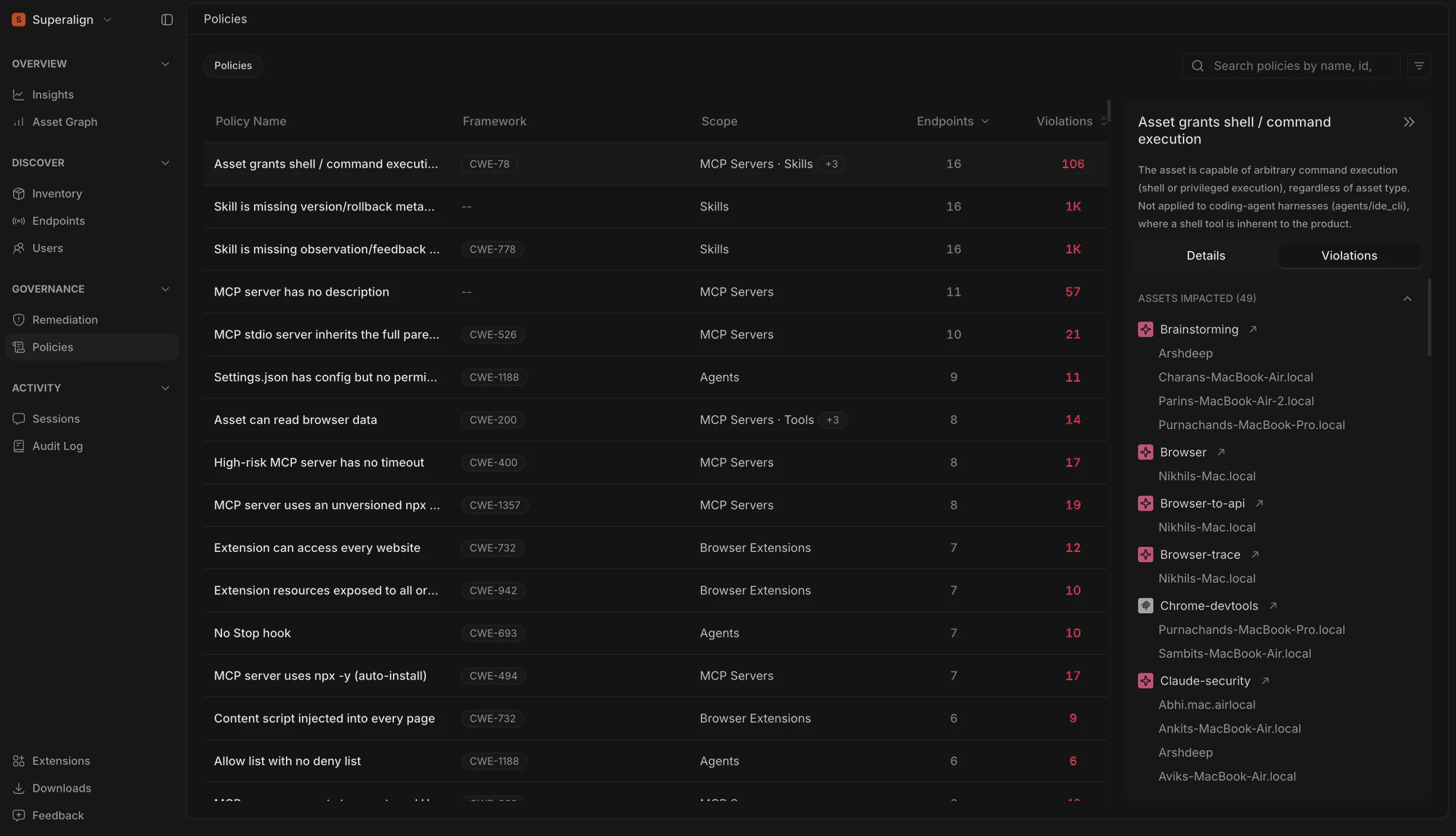
Selecting a policy opens a side panel with two tabs. Details shows the policy type, category, risk score, severity and the recommended Remediation, so the fix is visible alongside the finding. Violations lists every asset carrying the policy’s non-compliance, with the count of affected endpoints per asset and a direct link to that asset’s page.
Instance-Scoped Remediation
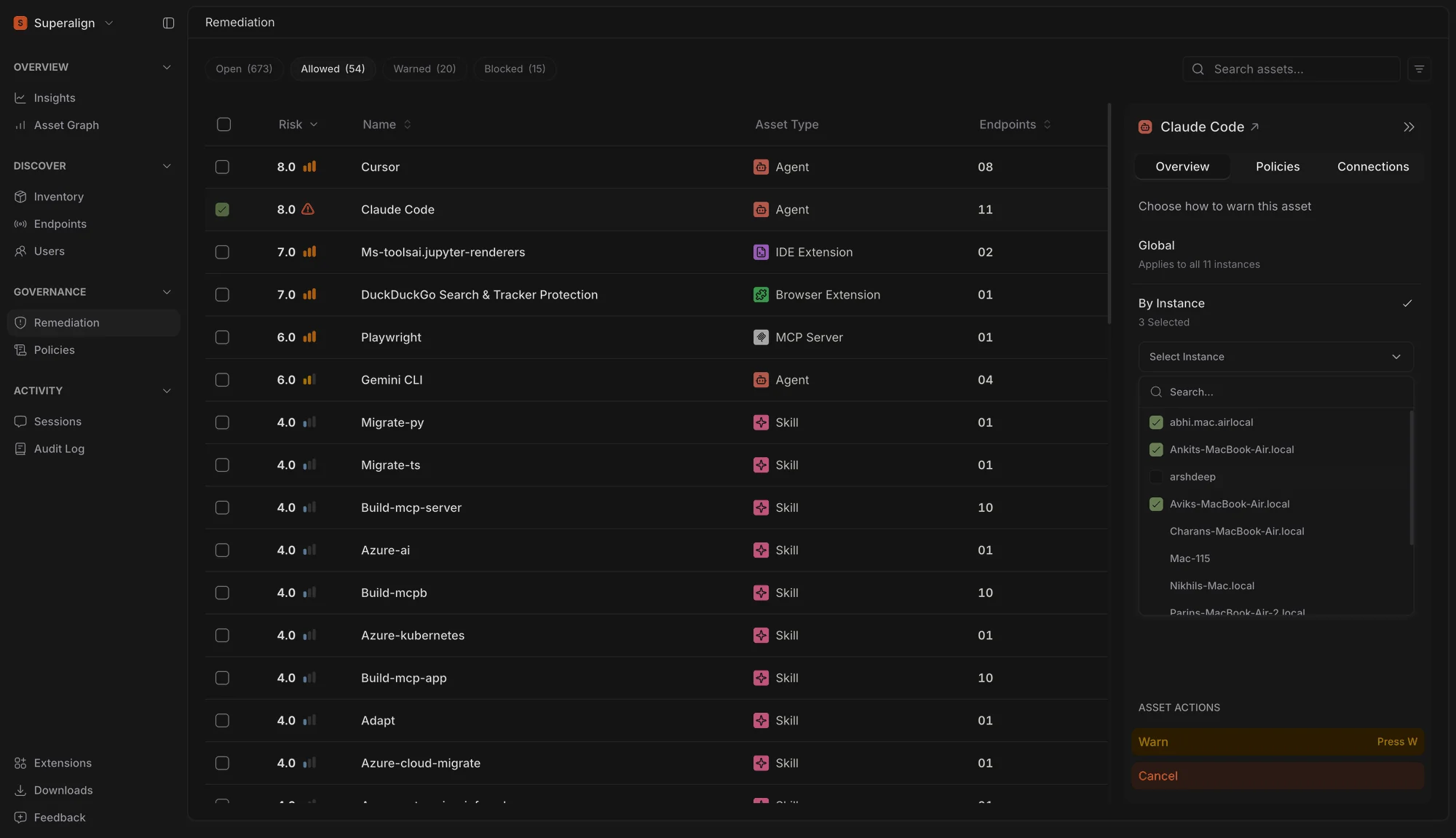
Surface now lets you decide how far a policy action reaches before it takes effect. Choosing Allow, Warn, or Block on an asset opens a scope step: apply it globally, across every endpoint running the asset, or by instance, on only the endpoints you pick.
Previously, blocking an asset meant blocking it everywhere. A single risky install on one laptop and a sanctioned rollout across a team were treated the same way, and the only alternative was to leave the asset ungoverned. Now, the same three actions carry the scope with them, so you can block Cursor on the two machines where it’s misconfigured and leave the other twenty-five untouched.
The instance list is searchable by hostname and keeps your selection as you scroll or filter, so working through a large fleet doesn’t mean losing track of what you’ve already ticked. The confirmation step remains in place for both scopes, and the card shows exactly how many instances an action will affect before you commit to it.
Endpoints receive the change the same way they do today. A scoped block is pushed only to the endpoints you selected, and shows up in the audit log and on each affected endpoint’s instance card as a per-endpoint policy.
Failed Policies on the Asset Card
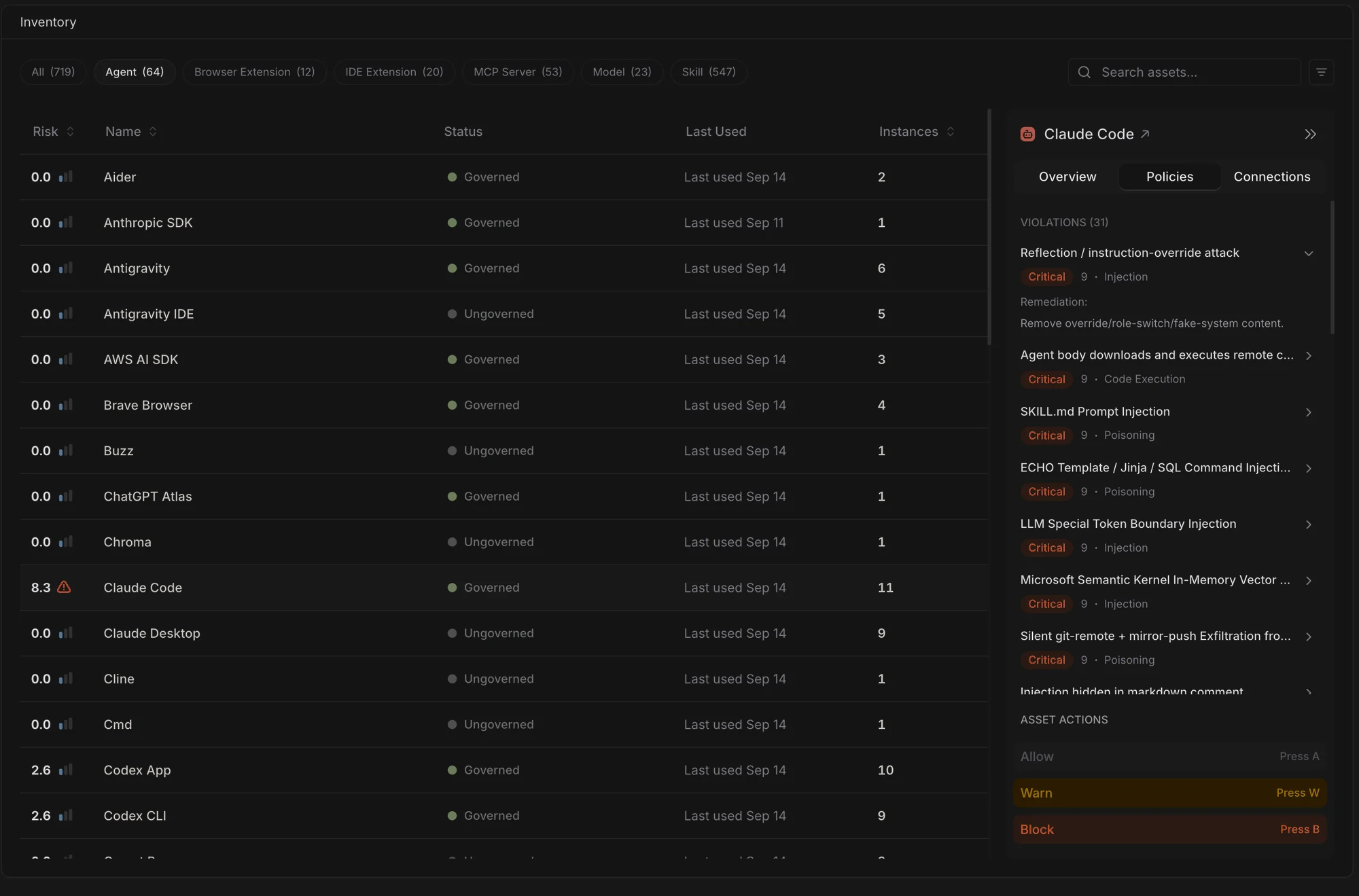
Surface now lists an asset’s failed policy checks directly on its card, in a Policies tab beside the overview and connections.
Each row shows the policy name with its severity, score, and category, and expands to the recommended remediation where one exists. Previously, seeing why an asset scored the way it did meant opening its full risk breakdown. Now the findings sit one tab away from the actions that address them, so you can read a failure and block, warn, or allow without leaving the card.
The same tab is available on an endpoint’s instance card, scoped to what that machine is actually running.
Managed Extension Installation Across 11 Browsers
You can now centrally deploy the SuperAlign extension across 11 browsers, instead of being limited to Chrome. Use surface extension install <browser> to install the extension on supported Chromium browsers including Chrome, Chromium, Edge, Brave, Vivaldi, and Opera, while MDM policies are also available for Firefox, Zen, LibreWolf, Waterfox, and Floorp.
Installation and uninstall flows have also been made more reliable across supported operating systems, and several browser-specific configuration issues have been fixed.
This broader endpoint coverage also extends to the AI-powered developer tools Surface can monitor. SuperAlign Surface now supports three new endpoint extensions — Kiro, Qwen, and Pi Agent — expanding our coverage to 17 supported AI agents.