Session Tracing
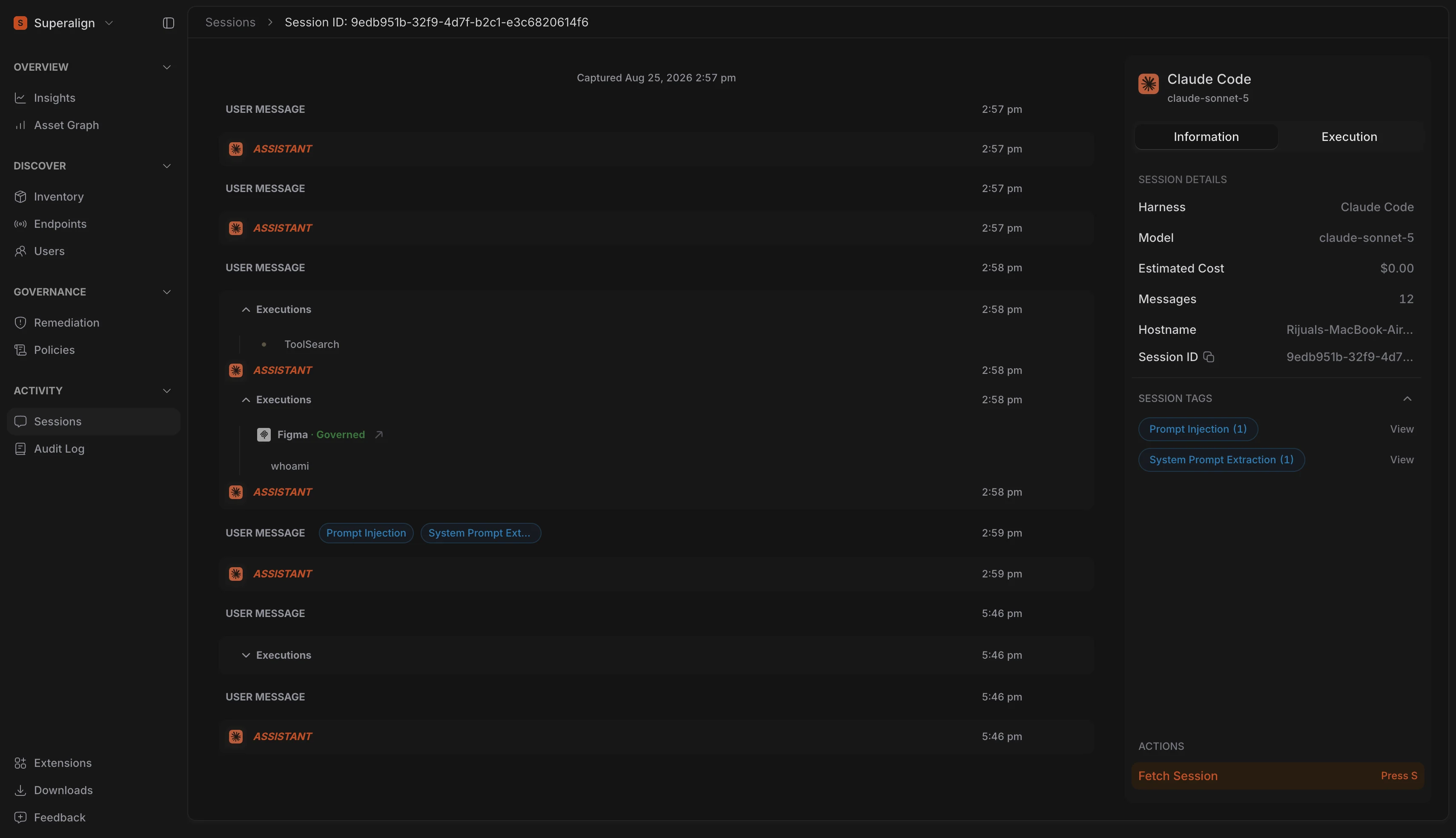
Surface now gives you a full timeline view of every AI session, covering every turn, every policy tag that fired, and every MCP server, Skill, or tool the session touched. It does all of this without opening the underlying conversation content. Session Trace turns a raw prompt log into something a reviewer can actually scan: what happened, when, and whether it triggered a policy.
This means your security and compliance teams can triage sessions at scale, spotting risky patterns across hundreds of sessions before ever needing to read a single message.
Audited Conversation Access
Full conversation content is now only ever a deliberate, logged action. Clicking Fetch Session from the trace view is the one path into the actual message-by-message transcript, and every single fetch is written to the Audit Log, recording who viewed what and when.
For regulated organisations, this closes a real gap: sensitive prompt content can no longer be browsed silently. Every read has an owner and a timestamp your compliance team can point to.
Session Tags & Tool Visibility
Sessions flagged by your prompt policies now surface their tags directly on the trace view, with one click to jump straight to the exact turn that triggered them. Alongside that, every MCP server, Skill, and tool call a session made is broken out in its own panel, with a direct link into Inventory for any asset Surface has already scanned.
Together, this turns Session Trace into a starting point for investigation, not just a log: see the violation, see what tool caused it, and jump straight to that asset’s risk profile.
AI Usage
SuperAlign now reports AI usage analytics on the Insights page, giving teams visibility into how much AI activity is happening across their environment. The new AI Usage tab shows estimated cost, sessions, tokens, and messages over the last seven days, each compared against the preceding week so changes in adoption are visible at a glance.
Daily token consumption and cost trend charts break the same window down by day and by model, while a Top Adopters table ranks the individuals driving the most usage.
Organisations rolling out AI coding tools need to understand where spend is concentrated and which teams are adopting fastest, both to forecast cost and to direct governance effort towards the heaviest usage.